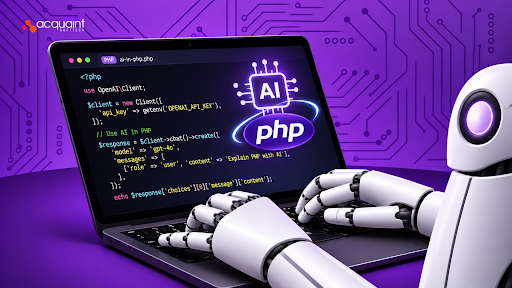
Nobody sells a reliable ten-year-old car just because it lacks a reversing camera. They fit one, connect it to the existing screen, and keep driving. The engine, the seats, and the miles of trust stay exactly where they are. Laravel AI integration works the same way for a mature PHP product: you add intelligence at the points where it helps users, and the rest of the system keeps running. Teams that bring in focused Laravel AI development support usually ship their first AI feature in weeks, not quarters.
So yes, you can add AI to a PHP app without rewriting it. The usual approach is to call a large language model or ML service through an API from your existing code, starting with one high-value feature such as smart search, summaries, or ticket classification. This guide covers where AI fits, three integration approaches, the foundations to check, safety and cost control, and realistic budgets.
The guidance reflects how Acquaint Softtech adds AI to production systems as an ISO 27001-certified Official Laravel Partner, drawing on 1,300+ projects and 70+ in-house engineers serving clients in the USA, UK, Europe, and Australia.
Can you add AI to a PHP app?
Yes. Most AI features are API calls: your PHP code sends text, documents or data to a model provider such as OpenAI or Anthropic and receives a result. PHP handles this as easily as any payment or email API, so the language is rarely the barrier.
What usually blocks teams
The real obstacles are older PHP versions that modern SDKs no longer support, messy data the model cannot use, and no background job system for slow AI calls. Each one is fixable without touching the rest of the product.
Read Also: Creative Solutions Offered by a Home Improvement Center
Where AI fits in an existing product
Start where users already spend time and lose effort. The best first features are narrow, measurable, and low-risk if the model gets something wrong.
| AI feature | Good fit when | Typical approach |
| Smart search | Users cannot find records | Embeddings and vector search |
| Summaries | Long tickets, notes, or reports | LLM call per document |
| Classification | Staff sort items by hand | LLM or small ML model |
| Assistants | Users ask repeat questions | Chatbot with retrieval (RAG) |
| Speech-to-text | Calls or voice notes pile up | Whisper or similar API |
Pick one feature, then measure
Choose a single feature, agree on what success means, such as hours saved or tickets resolved faster, and ship it to a small group first. A proven result makes the case for the next one.
Three ways to integrate AI
The right approach depends on how modern your codebase is.
1. Call AI directly from your app
If your app runs on a supported PHP version, framework-agnostic clients such as openai-php/client let you call models from existing code. In Laravel, packages such as Prism and the official Laravel AI SDK add a consistent interface across providers, plus support for tools and structured output.
2. Add an AI sidecar service
If the core app is old or fragile, build AI features in a small, separate service, often a new Laravel app or a Python FastAPI service, and call it over an API. The legacy code barely changes, and the new service can use modern libraries freely.
3. Upgrade the foundation first
If the app runs on an older Laravel release, a version upgrade often unlocks current AI packages and PHP features. Specialist Laravel upgrade services can usually complete this in weeks, which is far smaller than a rewrite.
Get the foundations ready
AI features are only as good as the data and infrastructure around them. Check four things before writing any prompt.
- Queues: AI calls can take seconds, so run them as background jobs rather than inside web requests.
- Clean data: search and assistants need consistent, well-structured records.
- Vector storage: retrieval features need embeddings stored in pgvector, Pinecone, Weaviate or similar.
- Access rules: the AI must only see data the user is allowed to see.
Get an outside view
If you are unsure whether your architecture is ready, a short review through Laravel consulting can map the gaps, estimate the effort, and tell you honestly whether a rewrite is needed at all.
Keep AI safe and affordable
AI features add new risks: wrong answers, leaked data, and unexpected bills. Plan for each from day one.
Practical guardrails
- Never send passwords, payment details, or unnecessary personal data to a model
- Log prompts and responses so you can review quality and errors
- Set per-user or per-account usage limits and track token spend
- Keep a human review step for high-stakes outputs
- Cache repeated answers to cut cost and latency
What does AI integration cost?
Cost depends on the number of features, data preparation, and integrations. Model usage is billed separately by the provider, per token.
| Scope | Typical timeline | Starting point (USD) |
| Single AI feature or MVP | 2 to 4 weeks | From $5,000 |
| Multi-integration platform | 6 to 10 weeks | Scoped per project |
What the payoff can look like
Returns come from time saved. In one Acquaint Softtech AI project, the client saved 200 hours a week and cut report creation from four days to one.
Making the call
You would not scrap a dependable car to get a reversing camera, and you do not need to scrap a working PHP product to get AI. Pick one feature users will notice, check that queues and data are ready, choose direct integration, a sidecar, or a small upgrade, and add guardrails before launch. Then let the results decide what comes next.
FAQs
Can you add AI to a PHP app?
Yes. Most AI features are API calls to a model provider, which PHP handles easily. Older apps can use a separate AI service instead.
What does AI integration cost?
A single AI feature or MVP typically starts around $5,000 and takes 2 to 4 weeks, plus ongoing model usage fees.
Do I need to rewrite my app to use AI?
Rarely. Direct API integration, a sidecar service, or a version upgrade usually covers it.
Which AI features should I add first?
Start with narrow, measurable features such as smart search, summaries, or ticket classification.